Width, height & X-dimension
The xdim setting applies only when the image width and height are not used. Your application may omit w and h to size the barcode by its modules.
Everything you need to customize PDF417 barcode images with the BCMaker CGI API: parameter names, supported values, defaults, and ready-to-use GET examples.
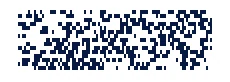
GET /cgi-bin/pdf417cgidHTTP / HTTPSBCMaker's PDF417 CGI generator accepts both GET and POST requests. Supply barcode data and optional settings to generate a PDF417 image.
https://www.bcmaker.com/cgi-bin/pdf417cgidSet the encoded content and the dimensions of the resulting barcode image.
| Parameter | Description | Accepted values | Default |
|---|---|---|---|
data | Content to encode in the PDF417 symbol. | Text or numeric data; pass as a URL-encoded query value. | 1234567 |
w | Width of the generated barcode image, in pixels. | Image width in pixels. | 200 |
h | Height of the generated barcode image, in pixels. | Image height in pixels. | 100 |
xdim | X-dimension — the width of the narrowest barcode module. | Used only when w and h are not specified. | 2 |
y2x | Ratio of the module height (Y) to its width (X). | Numeric ratio, for example 4.0. | 4.0 |
Control compaction, error correction, symbol columns and rows, and the compact PDF417 format.
| Parameter | Description | Accepted values | Default |
|---|---|---|---|
cmode | Selects the PDF417 data compaction mode. | 0–3 | 0 |
ecl | Sets the error correction level. | 0–9 | 9 |
col | Sets the number of data columns. | 0 (automatic) through 30 | 3 |
row | Sets the number of rows. | 0 (automatic), or 3–90 | 0 |
cpdf | Selects regular or compact PDF417. | 0 = normal; 1 = compact | 1 |
Adjust orientation, quiet zones, alignment and colors of the generated barcode.
| Parameter | Description | Accepted values | Default |
|---|---|---|---|
angle | Rotates the generated barcode. | 0, 90, 180, 270 degrees | 0 |
quiet | Controls whether quiet zones are shown around the symbol. | 0 = hide; 1 = show | 1 |
alignh | Horizontal alignment of the barcode within the image. | 0–3 | 1 |
alignv | Vertical alignment of the barcode within the image. | 0–3 | 1 |
bcolor | Background color. | 6-digit RGB hexadecimal, 000000–ffffff, without # | ffffff |
fcolor | Color of the barcode modules. | 6-digit RGB hexadecimal, 000000–ffffff, without # | 000000 |
Access server-provided help and troubleshooting information.
| Parameter | Description | Accepted values | Default |
|---|---|---|---|
help | Requests help information from the PDF417 CGI application. | Use help=1 to display the documentation. | — |
debug | Requests diagnostic information about errors. | Can be passed in the query string (for example, debug=1). | — |
This example encodes 1234567 and explicitly specifies the format and appearance settings used in the BCMaker demo.
https://www.bcmaker.com/cgi-bin/pdf417cgid?data=1234567&cmode=0&ecl=9&col=3&row=0&cpdf=0&angle=0&quiet=1&alignh=1&alignv=1&bcolor=ffffff&fcolor=000000&y2x=4.0&xdim=2&w=&h=&submit=+Generate+PDF417+&debug=1The xdim setting applies only when the image width and height are not used. Your application may omit w and h to size the barcode by its modules.
Specify bcolor and fcolor as six hexadecimal digits, without the # prefix. For example, blue is 0000ff.
The CGI help documents cpdf=1 as the server default. The BCMaker demo example explicitly sends cpdf=0 for a normal PDF417 symbol.
Parameter descriptions and default values here follow the official PDF417 CGI help. For version-specific details, use the server's own help page.
Open the BCMaker barcode types and select PDF417 to configure a request visually.